Diploma in Apple Development 🍎👩🏻💻: Coding 1: Lecture 1: Introduction to the Diploma and Coding One unit.
Back to slide index.
👋🏻 Hi! I'm
Joel. My pronouns are he/him. I'm 45 and I live in London near Epping Forest with my fiancée Jess and cat Dave.
If any of you have any questions at any time, just put your hand up and ask them. No such thing as a stupid question - I guarantee that others will be thinking the same thing!
Welcome to the Creative Computing Institute!
Welcome to the Diploma in Apple Development 🍎👩🏻💻!
Before we begin, I wanted to announce that you are all worms now! Apple worms that is! 🍎🪱. I want you to burrow inside of Apple over the next year and make beautiful things.
We are all going to be learning as we go along, so please be patient with me and each other. We have three headsets to share, so please return them as you receive them from the technical team - charged please! With that in mind, please meet Pete Mackenzie, who is in charge of the technical team here at CCI. Pete?
Thanks Pete! Before I continue this lecture, I'd like to introduce Bella Bacon and Elsa Farmer, last year's two course representatives for the Diploma in Apple Development. Bella, Elsa, what would you tell these students knowing what you know now? Worms, what questions do you have for Bella and Elsa?
By the end of this lecture, we'll have learnt about:
- The lecturers on the Apple Diploma
- Who all of you are
- A vibe check
- What people have made on this course before
- A discussion about cringe
- How to confirm your attendance in class by using the Seats Mobile App.
- Introduction to the course via the Diploma homepage, GitHub readme.md and the GitHub wiki
- How to make use of the Disability services at CCI
- How to make use of the Library services at CCI
- How you can get support around the cost of living crisis
- Selection of course representatives
- A presentation I gave for Eye Magazine recently
- My expectations of you through this year
- Tutorials - every Monday morning
- Important methods for succeeding on this course (and in general)
- My background
- What is Creative Computing?
- What are we going to learn? What are we going to make? How?
- Some situating yourself in the world resources
- Brain exploding resources
- Key milestones of the year
- Homework
The lecturers on the Apple Diploma
There are two lecturers on the Apple Diploma, me and
Xiaowan-Yi. She'll be teaching you all about Machine Learning (ML). Let's go through
my website and
Xiaowan's.
Let's go around the room and introduce ourselves. Please say how you'd like to be addressed, what course you are coming from and what you are interested in making this year.
A vibe check.
Now it's time for a
vibe check. I'm going to make a commitment to be here in person all day, every Tuesday and Friday, ready to start at 0930. I'd like you to make the same commitment too (for Thursdays too!) - to each other as much as to me. We all have different needs and different commutes. Is it possible? Let's talk it over. Why might it be hard to get in at 0930?
What people have made on this course before.
Let's take a look at the results of the last three years of the Apple Diploma, from the end of year shows:
A discussion about cringe.
Are you all on the CCI Slack? If so, let's move on to confirming your attendance in this class! This will be your responsibility to do in every class that you attend. If you miss classes, you will be contacted by the CCI admin team. This is important not just for your learning, but most importantly for your welfare.
- Download the Seats Mobile app from the iOS app store.
- Login with your UAL ID.
- Say yes to all the permission requests - notifications, Bluetooth (make sure it's turned on) and location.
- Then you should be able to simply check in.
- If you get stuck, message me on Slack for Student Guide or a video guide.
Let's take a look at the
Diploma homepage,
GitHub readme.md and finally the
GitHub wiki.
Please send me your GitHub ID's on Slack and I'll add you to the GitHub, so that you can edit your own introduction. Don't forget to find your Wu-Tang name! I'll demonstrate how to do that now. Is everyone on Slack? Where would you go to find out how to get on it if you aren't already?
This is a brand new course, rewritten completely for the Apple Vision Pro for the second time this summer and centred around Spatial Computing. I'd love to hear all your feedback - just message me on the
CCI Slack. I'm particularly looking out for good YouTube channels, so please share those if you find them.
How to make use of the Library services at CCI. You'll have already seen this on the
GitHub readme.md - but I just wanted to say that Benelia is amazing! Make use of the library - you'll be glad you did. She'll be taking you on a tour of the library at 1400 (2pm)next Tuesday 7th October - do you all know where the library is?
Are any of you interested in becoming the course rep? We must recruit two as soon as possible. Who's interested? Slack me if you are - great for your CV. No voting, just volunteering.
This is the link to register, but please DM me on Slack first. The deadline for nominations is Wednesday 15th October 2025. The course rep team asked me to say: "they will be asked to "purchase" a Course Rep membership on our website (but don't worry, it's free!)".
My expectations of you through this year:
- I expect you to be in person at CCI on the days that you have lectures - Tuesdays, Thursdays and Fridays. I think it would be smart to make use of one of the three Vision Pro's in the afternoons of those days too. Even better - on Monday afternoons and Wednesday all day too!
- Make use of the other resources here at CCI. The students, the technicians, the researchers and the other lecturers.
- I expect you to be checking the CCI Slack at least once every day (apart from weekends). Download the Slack app for iOS and macOS. Right now if you haven't already!
- You are expected to do 25 hours of work a week outside of lectures - i.e. Monday afternoons, Tuesday afternoons, Wednesday (all day), Thursday afternoons and Friday afternoons. Immerse yourself in the https://developer.apple.com site - so many great resources there, I'll be making use of them extensively too!
Tutorials are every
Monday morning from 1030-1300 on the CCI Slack. They are 20 minutes long and can be about anything you like - the course, how you are, challenges you are having, ambitions, career advice, music selections. Whatever you like. I've got over 20 years of experience doing interesting things with computers, so make use of that! Let's look at the schedule for next Monday and the one after.
Important methods for succeeding on this course (and in general)
Some things to keep in mind:
- 🌊 David Bowie on being out of your depth
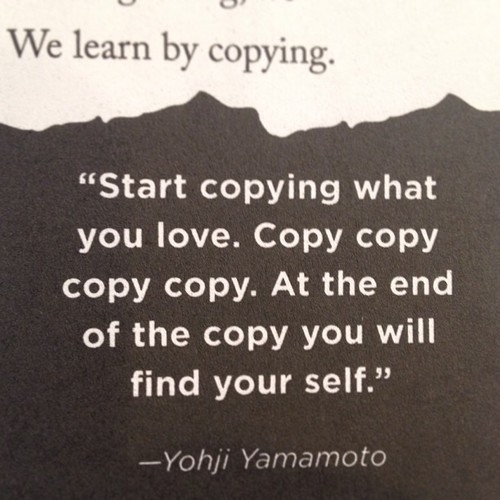
- 📸 Yohji Yamamoto on copying
- 🐌 On going slow
- 🙉 Susan Wendell on hearing disabled people
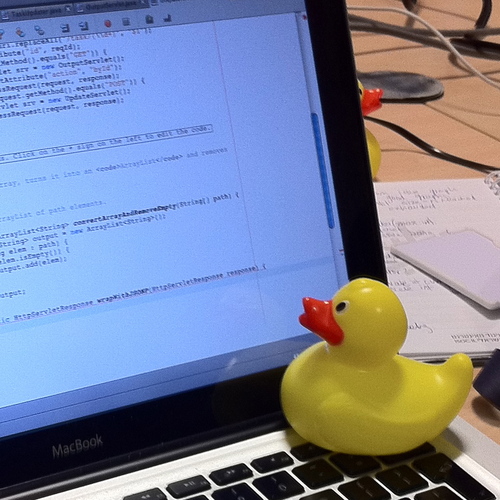
- 🦆 A rubber duck
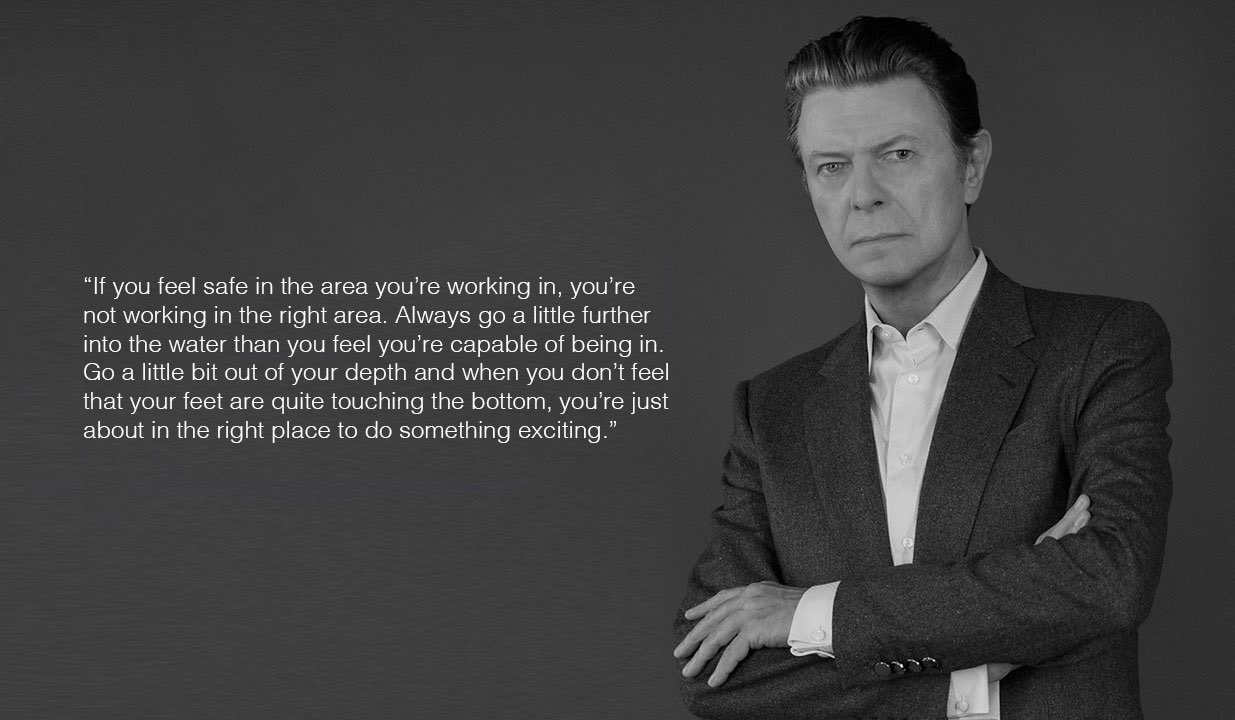
Just a little out of your depth is the right place to be.
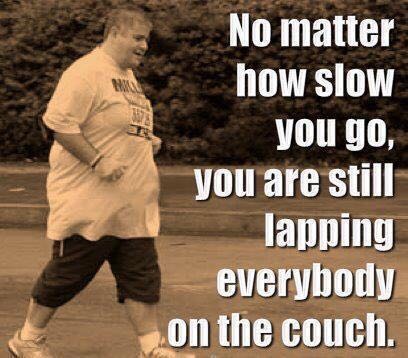
Just try. As soon as you try you are way ahead of most other people.
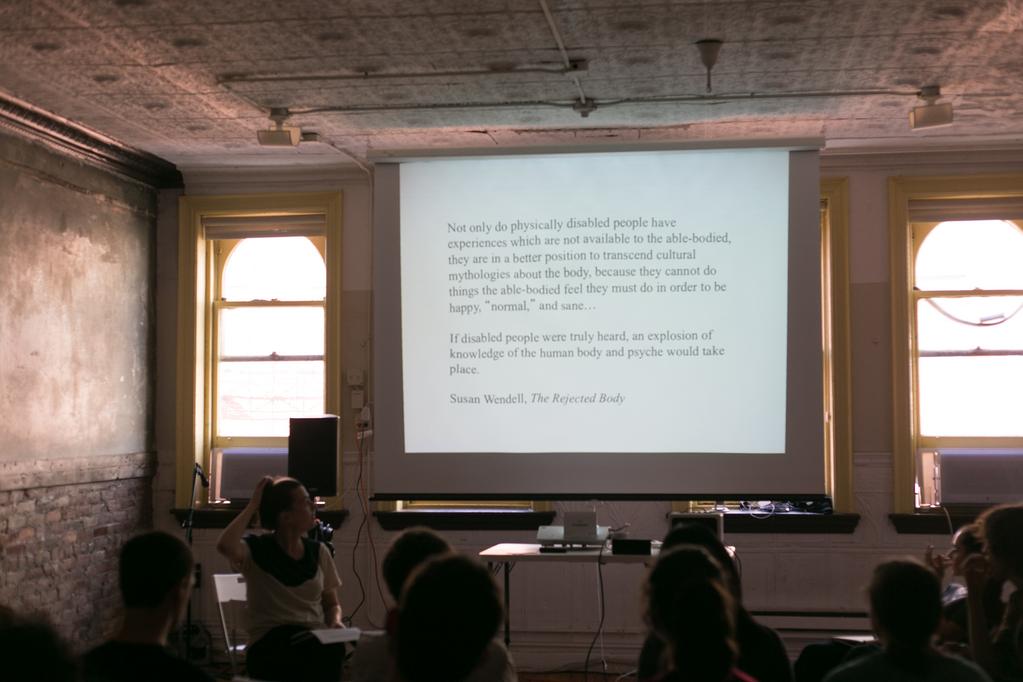
Susan Wendell wrote powerfully about disability and feminism. What explosion of knowledge could you make with your life?
My Background
🏴 Wales and being bored.
🧘🏻♀️ Teaching and psychic load and meditation.
What you are we going to learn in this next year?
We are going to learn about Creative Computing - a blend of Computational Thinking and Creative Coding.
What is Computational Thinking?
- To learn how see problems at many levels (abstraction), break down problems (decomposition), find the order in them (pattern recognition), make solutions using a series of steps (algorithms) and realise that you might be able to use that solution in lots of areas (generalisation).
- Most of all, to learn how to be autodidacts.
- First task: what is an autodidact?
Look it up! What did you find?
What is Creative Coding?
I believe all coding is creative, as all life is creative. Specifically, creative coding is about blending creative techniques with software engineering. I want you to learn how to write code but also how you could use computing to change your practice. You can make lots of earth credits writing software, but I'm much more interested in giving you the tools to change yourself, your practice and the world.
Next, a really important diagram.
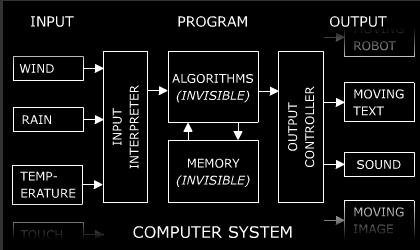
Jim Campbell's formula for Computer Art. Realise that you can use things without understanding every aspect of them. All that computers do is process inputs into outputs. That's it.
What are we going to learn? What are we going to make? How?
But What are we going to make? How?
You are going to make two apps, a prototype for a caring app in a group in Spatial 1 and a playful app on your own in Spatial 2 (with help from me all along the way). You are also going to make your own ML model in ML 2. BTW, the idea of the playful and caring approach comes
from this amazing presentation from David Graeber. More about him in a moment.
There are three units in each Block, lasting half the academic year. Coding, Spatial and ML. Coding 1 will teach you how to write in Swift and make apps using SwiftUI. Coding 2 will continue that process, learning more APIs from Apple, including more SwiftUI, RealityKit and ARKit. Spatial 1 will take you through making a prototype app in a group, learning RealityKit along the way. Spatial 2 will take you through making a full app on your own, learning even more RealityKit and ARKit. ML 1 will explore existing Machine Learning models and ML 2 will take you through making new ones.
Each of my lectures will be structured in the following way:
- 0930-1030: Hour 1
- 1030-1030: Hour 2
- 1130-1230: Hour 3
- 1230-1300: What other questions do you have for me? We finish at 1300 to give time for handover to the next class and for us all to get lunch.
Each hour will be a therapeutic hour - has anyone heard of that before?
Apparently Freud didn't invent it. We'll take 10-15 minutes at the end of each hour as a break - a comfort break or whatever you like.
When learning to code and make apps for a brand new platform, there will always be a chicken and egg problem. Meaning I can't teach you everything at once, so sometimes you'll have to take what I say on trust, knowing that we will return to flesh out the details later. As I said before, this is a brand new course, revised for the first time over this summer, so things are going to change as we go. We might over or under run on lectures, I'll keep things up to date from week to week, please be patient with me!
Remember, my main aim is to turn you all into autodidacts that can learn anything for themselves in order to make whatever they want to make. Most of all, I want you to support each other.
Some situating yourself in the world resources:
We are in a stressful time at the moment. Here are some resources for situating yourself in the world, and how to keep going, set up a studio (if you want) and what you (maybe) should be doing:
Some brain exploding resources:
- Digital morphogenesis is the exploration of how shapes, forms, and patterns emerge in nature through the use of computational modelling and generative systems based on biological, chemical, and physical processes. It draws upon research from practically every area of the natural sciences and has applications in architecture, digital fabrication, art, engineering, biomedicine, and more.
- Wait but Why - lots of great essays on interesting things - I started with this one - Your Life in Weeks.
- Better Explained - the best site for getting explanations of Maths ideas graphically - I started with this article - Surprising Uses of the Pythagorean Theorem.
- Joscha Bach's lectures are always brilliant - lots of amazing thinking about love, the universe and what it means to be concious.
- Stanford professor Robert Sapolsky's opening lecture of the course entitled Human Behavioural Biology on how he aims to avoid categorical thinking.
- Jane Elliott's anti racist teaching.
The key milestones of the year are the end of Block One and the end of Block Two. That's when we'll have assessment. The first half of the year will be all about making an app prototype in a group and the second half of the year will be all about making an app for release on your own. We'll have an end of year show with the rest of CCI and a presentation at the Apple UK headquarters at Battersea!
What questions do you have for me?